Manage the supplier profile with BitzButler
Struggling to stay organized? See how this CRM helps!
Ready to simplify?
Table of contents
Overview
Keeping the supplier profile in your business is important. It allows you to get the supplies and services from any supplier in case the preferred supplier is not available. This should minimize the down time or service interruption.
On the other hand, you may keep track of the quality, cost and follow-up service provided by your supplier.
FAQ
Q: Why do we have to keep the supplier contact information?
A: There are a few reasons why you should keeping track the supplier information:
-
For reviewing their reliability - it is important to review their capabilities and reliability. These information will be used as a reference in the future.
-
For maintaining a good relationship - you need the supplier's full contact for you to keep in touch with them.
-
Keeping track the private notes - unlike the public review which sometimes might be biased. Keeping track a private notes for each supplier is better and avoid falling into paid biased review.
-
Always keep an eye on their financial status - any supplier might go bust for any reason. Keeping an eye on their financial status is important in order to avoid their bad situation which affects your business operations.
Q: What are the benefits of building a good relationship with suppliers?
A: You might discover a new opportunity of selling new products or services provided by the supplier as the market trend might shift any time.
Using a computerised system to keep track of the supplier information, it helps in centralizing the information in one place. Which allows you to expand your business easily.
BitzButler Supplier Profile
In BitzButler Accounting, it is a must to create a supplier profile before entering any of their Invoices or Credit Notes. Once a supplier profile has been created, the system will be able to track the supplier invoices and payment made to them.
The Accounts Payable (AP) aging report will be automatically generated and it is useful for managing the future cash flow. No more chaos and stuck in cash flow.
In BitzButler, we don't go deep into a full SRM (Supplier Relationship Management) because it requires too much effort to maintain the information, especially a small business that has limited resources. We encourage the user to spend a bit of time in maintaining the general information as mentioned earlier in this article.
Notes: the supplier profile cannot be accessed on mobile view.
Supplier Profile on Desktop View
-
Open the Accounting app by tapping on Advanced → Accounting.
-
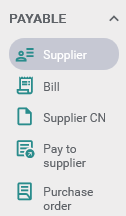
Click Payable.
-
Click Supplier.
Add new supplier on desktop view
-
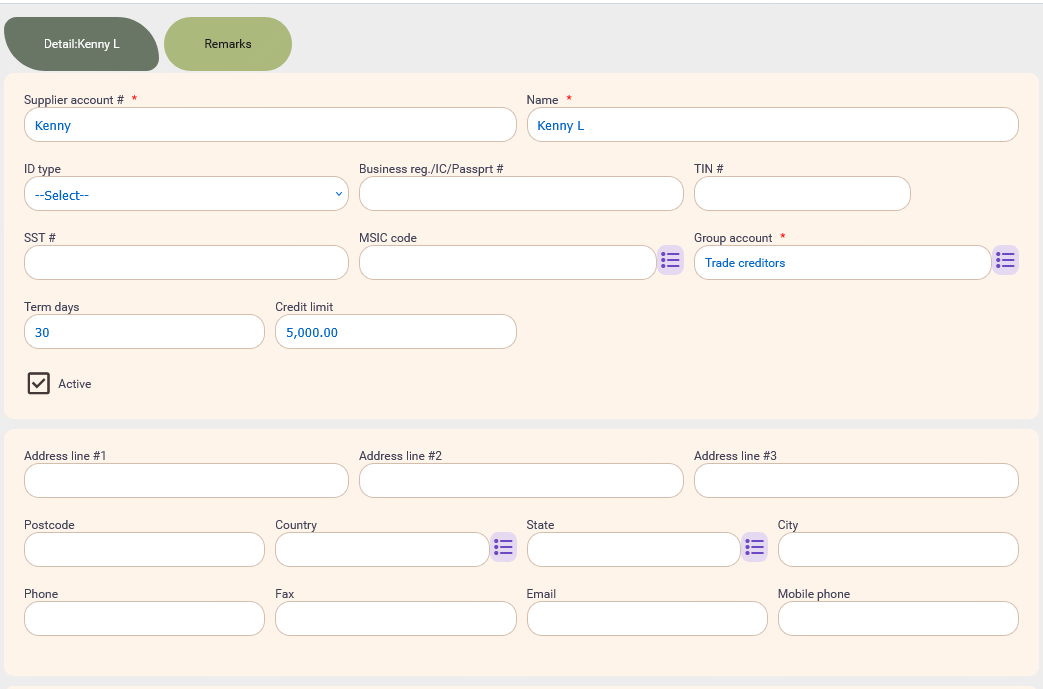
Click Add option (located at the top right).
-
Fill in all the compulsory fields.
-
Click Save (located at the top right).
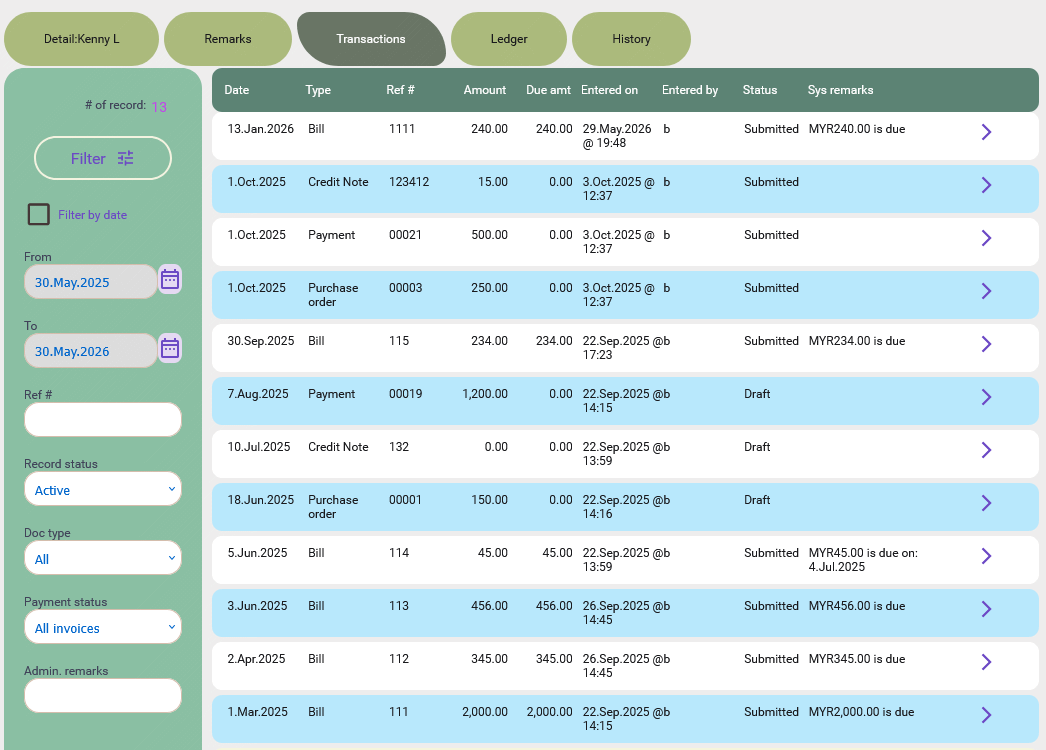
After the supplier profile has been saved, new tabs will appear on the screen.
-
In the Transactions tab, you will find all their invoices, sales receipts, etc. Double click on any row will open the document/transaction.
-
In The Ledger tab, it shows the open balance (if any) and the transactions for the selected period. It has the debit and credit columns which is from the accountant perspective.
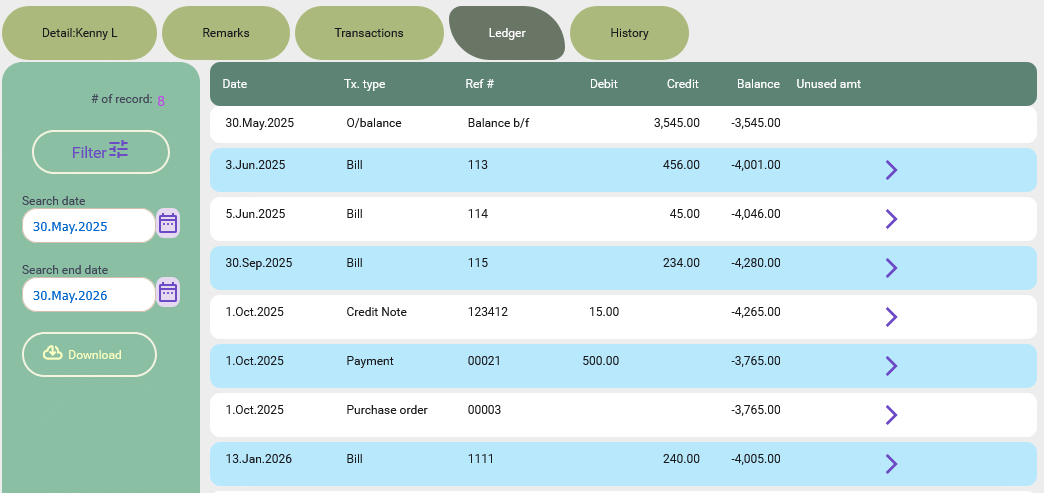
Notes: click on the Download option on the filter box to download the ledger.
-
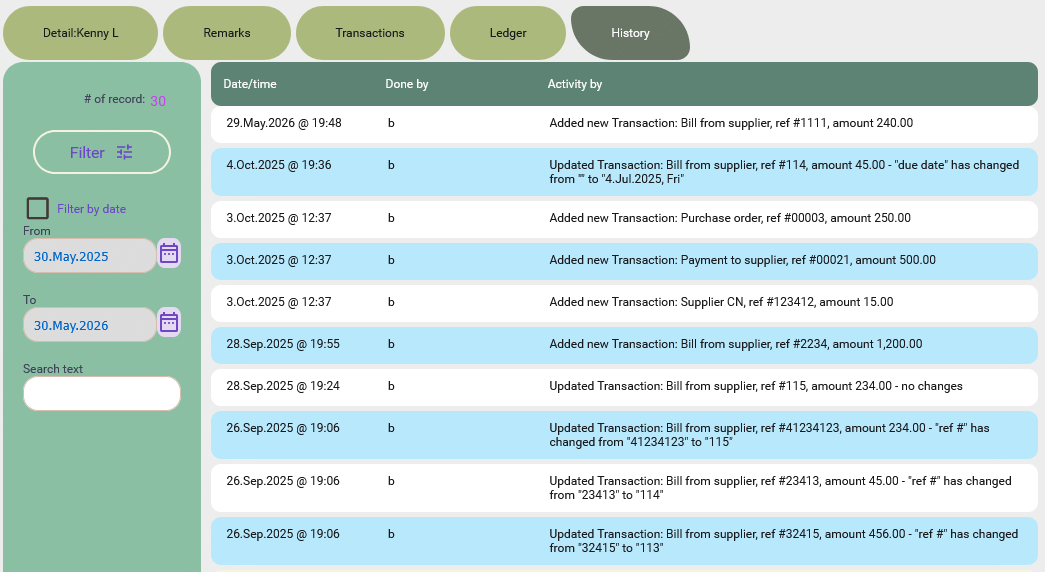
In the History tab, it has all the information about when the supplier and their transaction was edited.
-
Click on the More options (located at the top right), you will find the extra hidden features there:

Edit a supplier profile on desktop view
-
Double click on any row to edit the supplier OR click on the right arrow on any row.
-
Edit the necessary fields.
-
Click Save (located at the top right).
Delete a supplier profile on desktop view
-
Double click on any row to edit the supplier OR click on the right arrow on any row.
-
Untick the "Active" checkbox
-
Click Save (located at the top right).
After that, this supplier will become hidden and you will not be able to find this supplier upon entering the invoice from the supplier.
Summary
In a competitive market, it is important to review the supplier's reliability. Keeping track their information, taking private notes is essential for your business to stay safe and lower cost.
Start keeping track of your supplier information for Free. No credit card needed to sign up.
#Tutorial | #AP | #Accounting | #Blog listing