BitzButler Class Scheduler: class scheduling like magic
😵💫Over the manual madness? Swipe to see how top teachers tame the chaos - one app, zero stress, level up your classes!
Ready to simplify? 😍
Table of contents
-
- Q: Is using a system to schedule class helpful?
- Q: Is it possible to schedule class on a mobile phone like iPhone or Android phone?
- Q: We don't have any experiences in scheduling class, can we using your system?
- Q: I have another teaching partner who shares the same studio, will there be any issue on using BitzButler Class Scheduler?
- Q: Does the student able to see their schedule?
- Q: Is there a limit on the number of student per class?
- Q: Can I issue invoice after the class?
📝 Key Takeaways
-
Avoid Miscalculation - no more attended classes but missed out from the billing process.😮💨
-
Instant Setup - move from messy class schedule on a paper or spreadsheet to a clean dashboard in minutes.📆
-
No Accounting knowledge Needed - BitzButler is designed for owners, not just bookkeepers.🍰
-
Stay Tax-Ready - avoid year-end stress with organized, real-time records.💪
What is class scheduling
Class scheduling helps you stay organized—whether for your own time or your instructors, and avoid class overlaps to ensure a smooth, conflict-free schedule, which makes it easier to identify and fill empty slots with additional courses or classes, maximizing productivity and making the most of available time.
Why class scheduling is important
When a student enrolls in a multi-session course, it's essential to monitor their attendance: how many classes they've attended, the total hours spent, and the dates. Maintaining these records not only helps you monitor student progress, but also enables you to recommend the most appropriate next-level classes.
On the other hand, optimizing the classroom space occupancy is important in running your coaching business. Because, the more classes on occupying the classroom space, the more profitability it will be (at least in a simple mathematics).
With class scheduling, the student will have a better idea on what they will achieve after attend the classes.
What is the benefits of using a class scheduling system?
- Better time management.
- Easier to change or swap the class schedule.
- Track your time spent and number of students in each class.
- Easier to spot a free time to handle more classes.
- Easier to monitor number of student in every class.
- Reduces the time spend in scheduling the classes.
- Once the classes has been scheduled, it simplifies the billing process.
FAQ
Q: Is using a system to schedule class helpful?
A: Yes. Especicall it reduces the time spend in scheduling and easier to spot a free time slot to handle new classes.
Q: Is it possible to schedule class on a mobile phone like iPhone or Android phone?
A: You can access the class scheduler with any mobile phone as long as the latest browser has been installed and a stable Internet connection.
Q: We don't have any experiences in scheduling class, can we using your system?
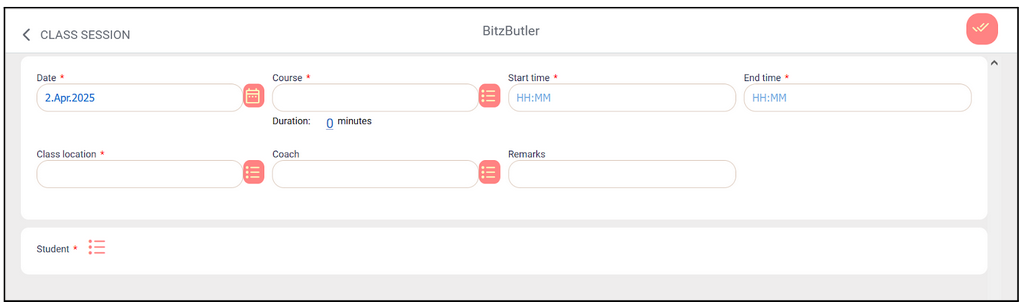
A: Yes. Our class scheduler is user friendly and intutive to use. Here is the screenshot of class schedule/session.
Q: I have another teaching partner who shares the same studio, will there be any issue on using BitzButler Class Scheduler?
A: No issue. Both of you will be able to see each other's class schedule/session after logged on. That's the beauty of using an online system which allows multiple user to access the database.
Q: Does the student able to see their schedule?
A: No at the moment. Currently, our system is meant for the teachers and business owner only.
Q: Is there a limit on the number of student per class?
A: We did not restrict the maximum number of student per class. But, it should be around 100 in practical.
Q: Can I issue invoice after the class?
A: Yes. It is possible to issue invoice after the class. Please refers to the following article.
A quick guide to invoicing / how to issue invoices with ease
Steps for scheduling classes using BitzButler
How to schedule a class
-
Go to Calendar.
-
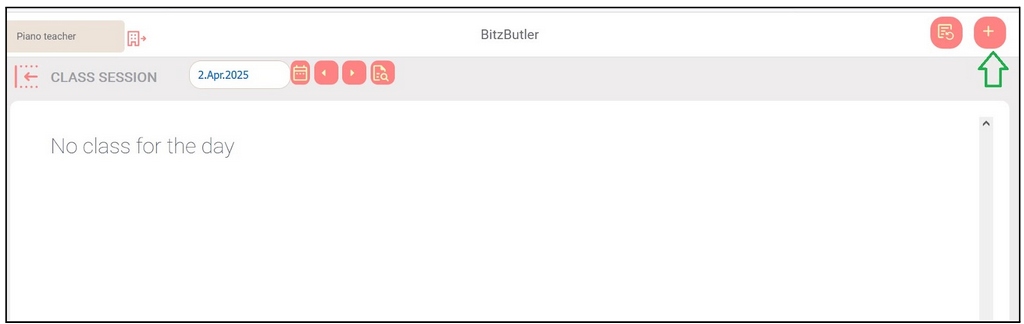
Click the specific date to schedule a class.
-
Click the + sign.
-
Fill in all required fields (marked with *) and click Save.
How to schedule next class
-
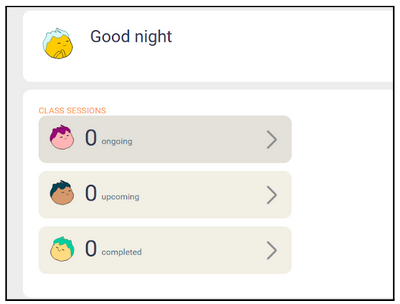
On the dashboard, click "Completed".
-
Click the filter icon.
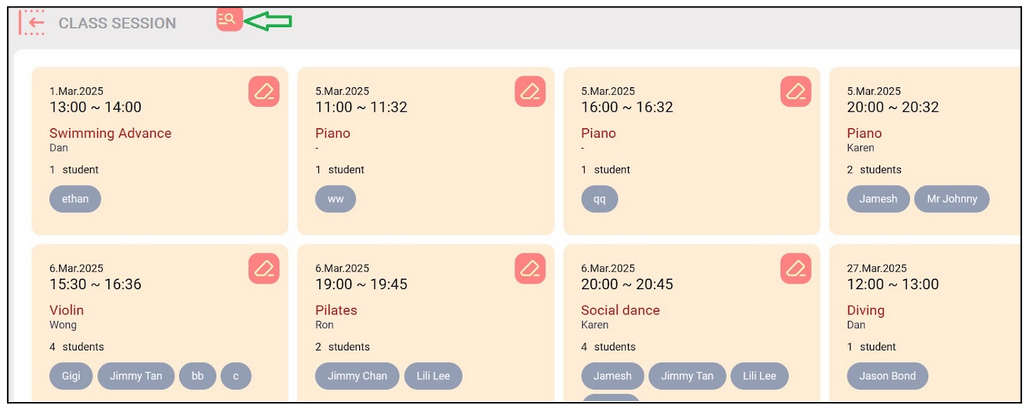
-
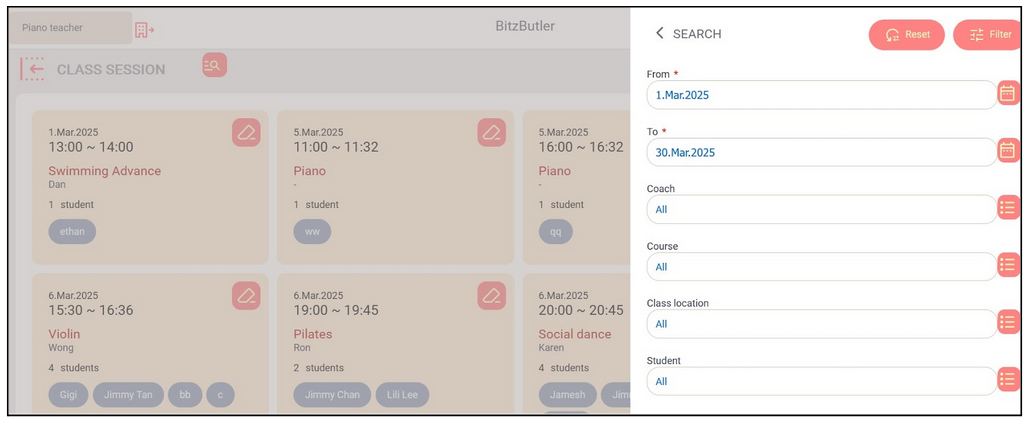
Search by specific period to view the courses and click the filter button.
-
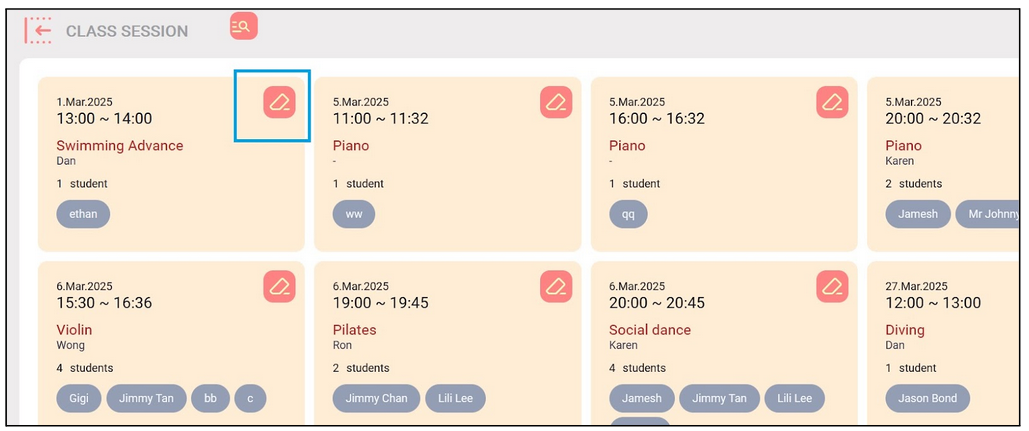
From the search results, select the course by clicking the pencil icon.
-
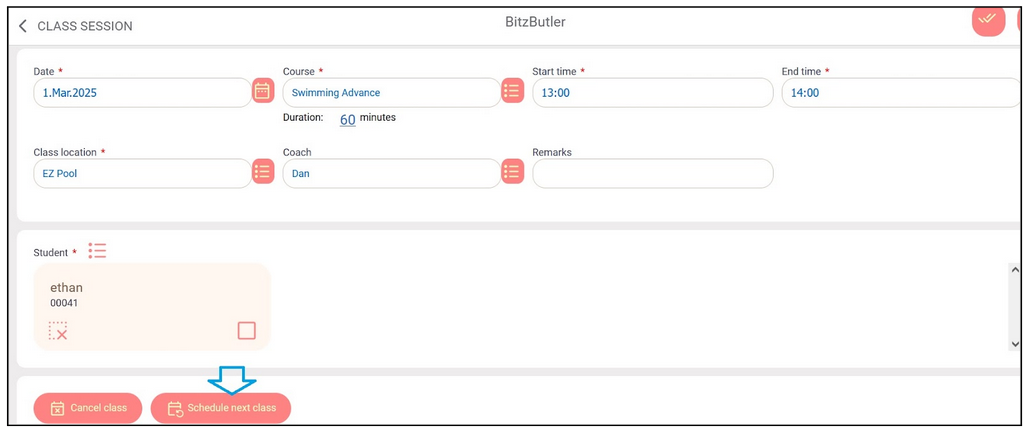
Review and edit the info if applicable. Click the "Schedule next class" button.
-
Click the Save icon next to the + icon to complete the scheduling.
How to cancel a class
-
On the dashboard, click "Completed".
-
Click the filter icon.
-
Search by specific period to view the courses and click the filter button.
-
From the search results, select the course by clicking the pencil icon.
-
Click the "Cancel class" button.
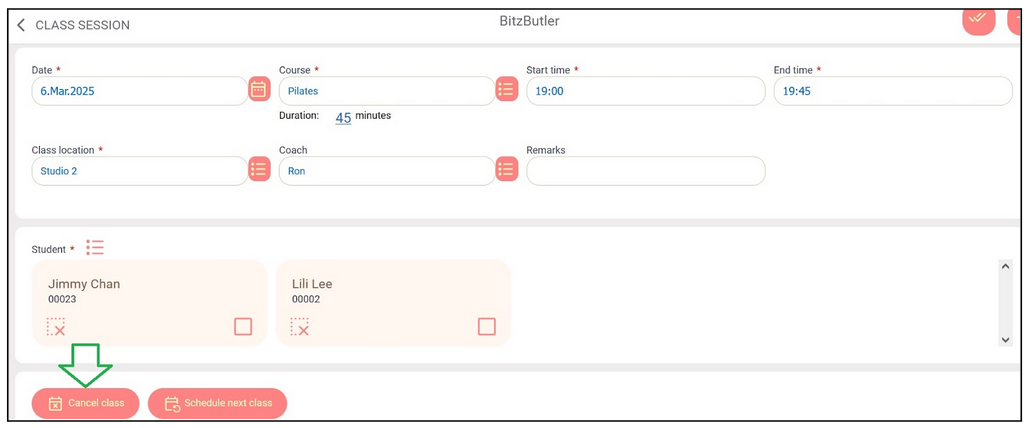
-
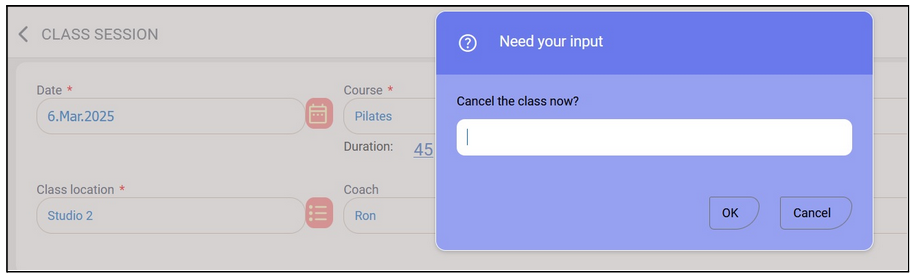
You may key in a reason to cancel the class or just click "Ok".
Viewing the schedule for the month
In BitzButler, you can view all class sessions on a monthly calendar. This feature provides a clear overview of how many classes are scheduled each day. Additionally, you can easily reschedule classes directly from the calendar.
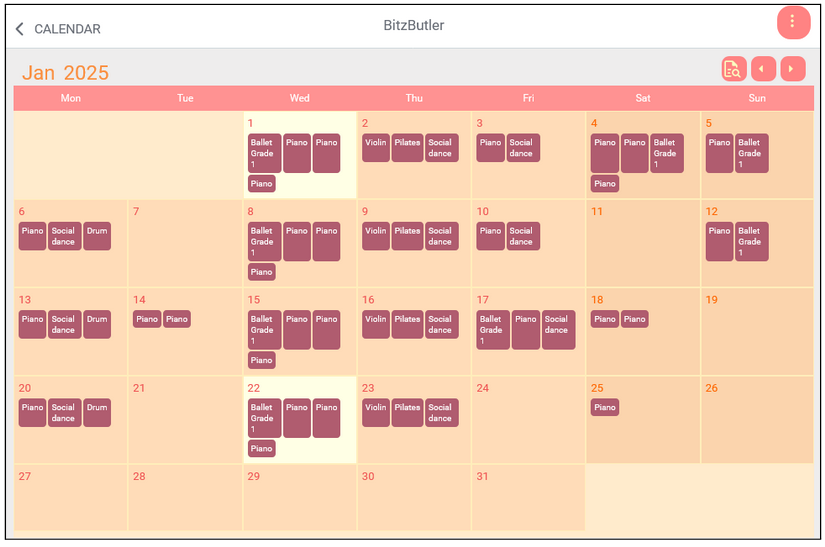
Tips: you can upsell additional class sessions on days that aren't already scheduled. This helps to increase your sales and boost overall profit.
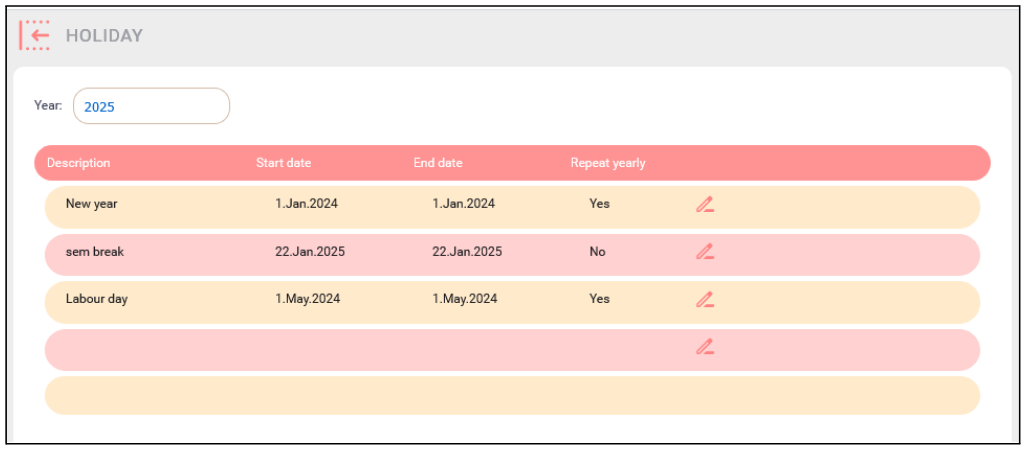
The calendar function offers more than just scheduling—it also allows you to set up public holidays, which will be displayed on the calendar.
Summary
Our class scheduling features is very helpful in the coaching business. From managing the classes to up-selling your vacant time. All these will help in increasing your business profitability.🎉
Start tracking your classes for Free. No credit card needed to sign up.
